


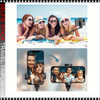

Frequently bought together:
Description
Selfie Stick Travel Tripod 68 Inch
SPECIFICATION
- Product Name: Selfie Stick Travel Tripod
- Maximum Height: 68 inch / 170 cm
- Type: 3-in-1 Extendable Selfie Stick + Tripod + Phone Stand Material: Lightweight Aluminum Alloy + Durable ABS Plastic
- Color: Black
- Design: Foldable & Portable Travel Design
- fill light ( Not Included)
DESCRIPTION
- The 68 Inch Selfie Stick Travel Tripod is a multifunctional phone accessory designed for capturing photos and videos anytime, anywhere.
- The extra-long telescopic extension allows wider angles and full-body shots, while the tripod mode provides stable hands-free recording.
- The detachable wireless remote makes it easy to take pictures or start videos from a distance without touching your phone.
- Perfect for content creators, travelers, influencers, families, and everyday photography.
- 3-in-1 Design:
- Selfie Stick Mode
- Extend the pole and capture perfect selfies or group photos.
- Tripod Mode
- Open the tripod base for stable recording, live streaming, or video calls.
- Phone Stand Mode
- Use as a desktop holder for meetings, watching videos, or recording content.
HOW TO USE
- Selfie Stick Mode:
- Open the phone holder.
- Place your smartphone securely inside.
- Extend the telescopic pole to desired length.
- Adjust phone angle.
- Press the wireless remote button to capture photos or videos.
- Tripod Mode:
- Pull open the tripod legs from the handle.
- Place tripod on a flat surface.
- Extend height as needed.
- Rotate phone holder for horizontal or vertical shooting.
- Use remote control for hands-free operation.
- Wireless Remote Setup:
- Remove the remote from the handle.
- Turn on the remote power.
- Activate Bluetooth on your phone.
- Pair with the remote device.
- Open camera app and press button to shoot.
COLOR ACCURACY
COLOR ACCURACY
- We have made every effort to make the colors on screen as accurate as possible.
- Unfortunately, we cannot guarantee an exact color match of the on screen color to the colors of the actual products and the color appearing on screen should not be relied on as being such.
- Colors on screen may vary depending on your screen settings and resolution.
Related Products
Related Products


OPI DIP POWDER Tagus in That Selfie!*
OPI
$15.45
OPI DIP POWDER Tagus in That Selfie
Impossible to hide behind this bright pink dipping powder. You’re tagged!
SPECIFFICATION
Net Weight: 43g (1.5oz)
Shade:
DESCRIPTION
Nail Powder...
DPL18

CHINA GLAZE POLISH -Note to Selfie*
CHINA GLAZE
$3.45
CHINA GLAZE POLISH -Note to Selfie
SPECIFICATION
Size: 0.5 Fl. oz. / 15ml.
Shade: nude
DESCRIPTION
China Glaze Nail Lacquer is a professional - level nail enamel made with a special...
83966
On Sale


OPI NAIL LACQUER Tagus in That Selfie! #NLL18
OPI
Now:
$5.25
Was:
$6.00
OPI NAIL LACQUER Tagus in That Selfie
Impossible to hide behind this bright pink nail polish. You’re tagged!
SPECIFICATION
Size: 0.5oz / 15 ml
Shade: Soft pink
DESCRIPTI
NLL18
On Sale


OPI INFINITE SHINE Tagus in That Selfie! #ISLL18*
OPI
Now:
$5.95
Was:
$7.25
OPI INFINITE SHINE Tagus in That Selfie
Impossible to hide behind this bright pink long-wear nail polish. You’re tagged!
SPECIFICATION
Size: 0.5oz / 15 ml
Shade:...
ISLL18


SELFIE LED LIGHT Ring with Phone Holder, White
TDI
$17.95
TABLE LAMP Metal Adjustable Gooseneck, Table Claim, White
A "Selfie LED Light Ring with Phone Holder" is a popular accessory for smartphones, especially for those who enjoy taking selfies or making...
8898